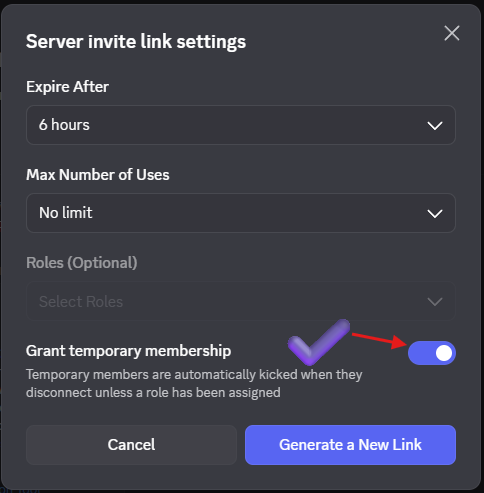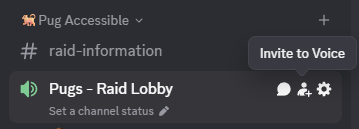

- Expire After: 6 hours (or less)
- Max Number of Uses: No limit
- Grant temporary membership: Checked
Turn on Grant temporary membership. This setting will kick a player once they leave voice chat. This is to make sure the server does not get clogged by random pugs.