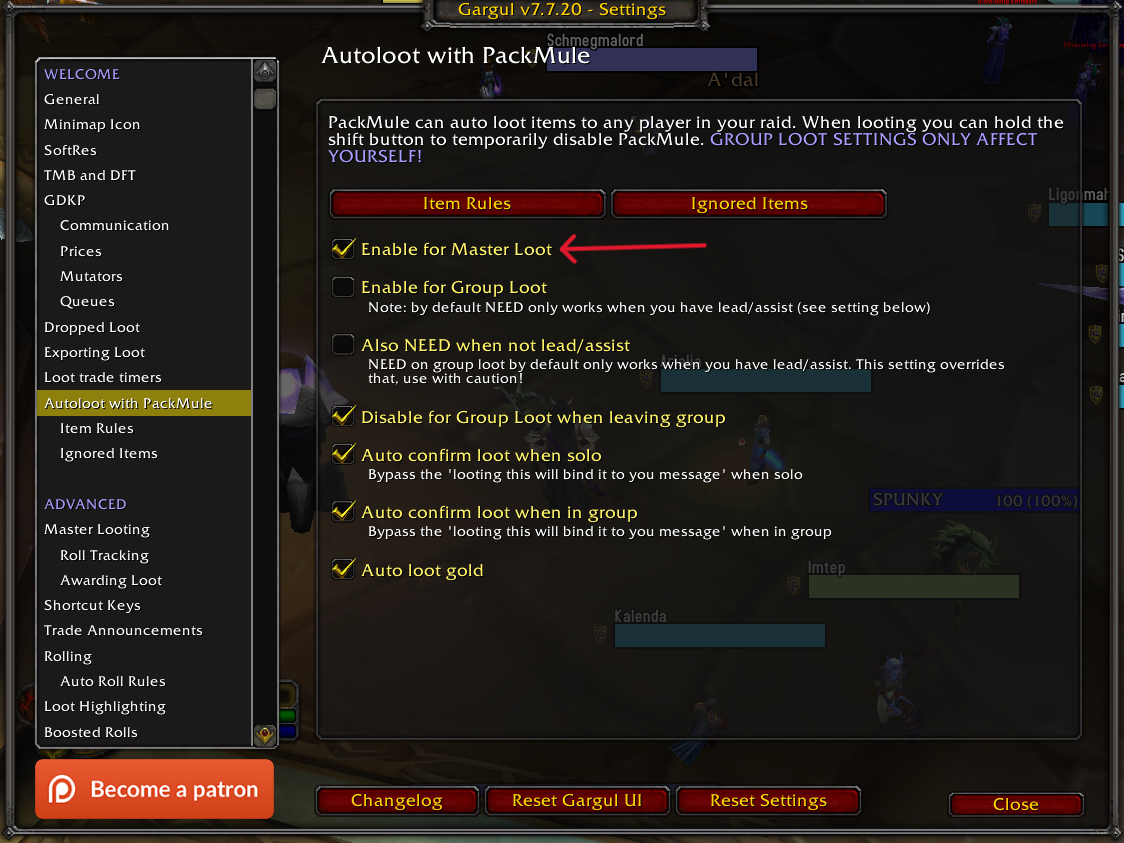
/gl opt)
Under Item quality rules, set the first quality to Uncommon and lower to
DEOptional: set the second quality to Rare and higher to
SELF. This will auto-loot boss & trash loot to your bags.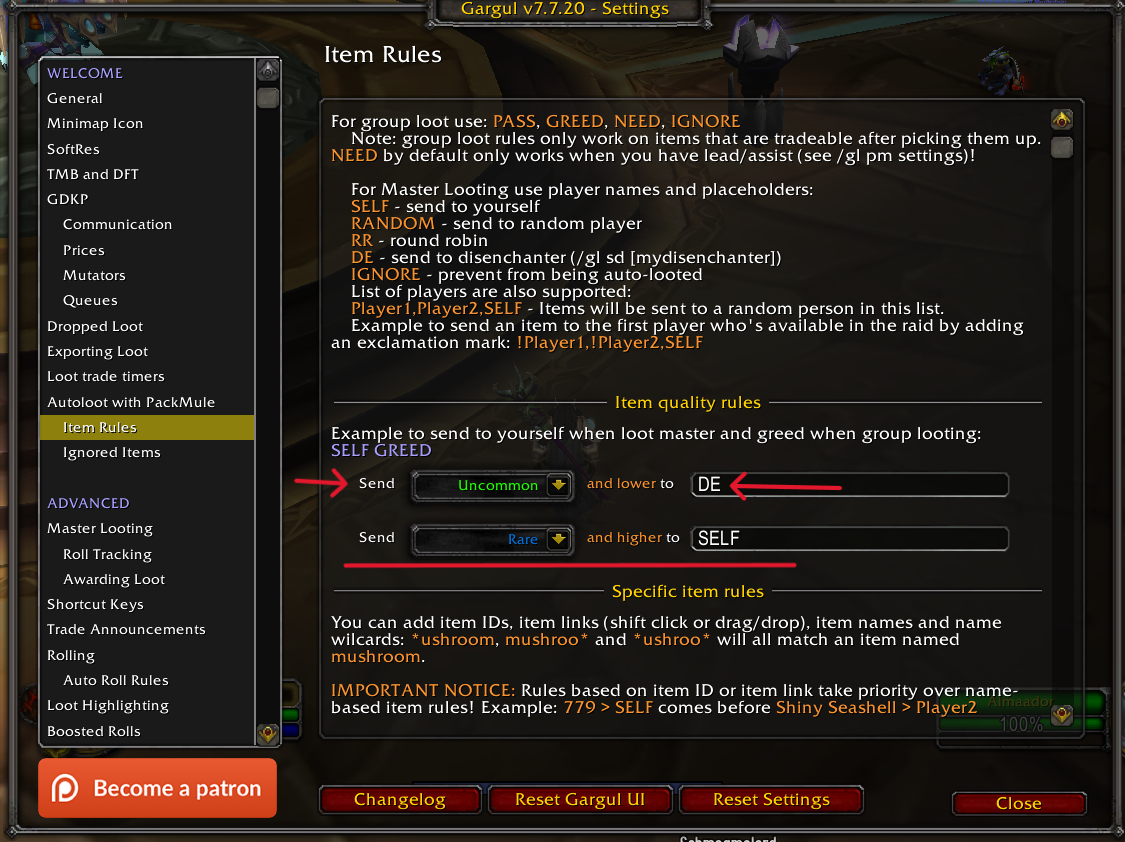
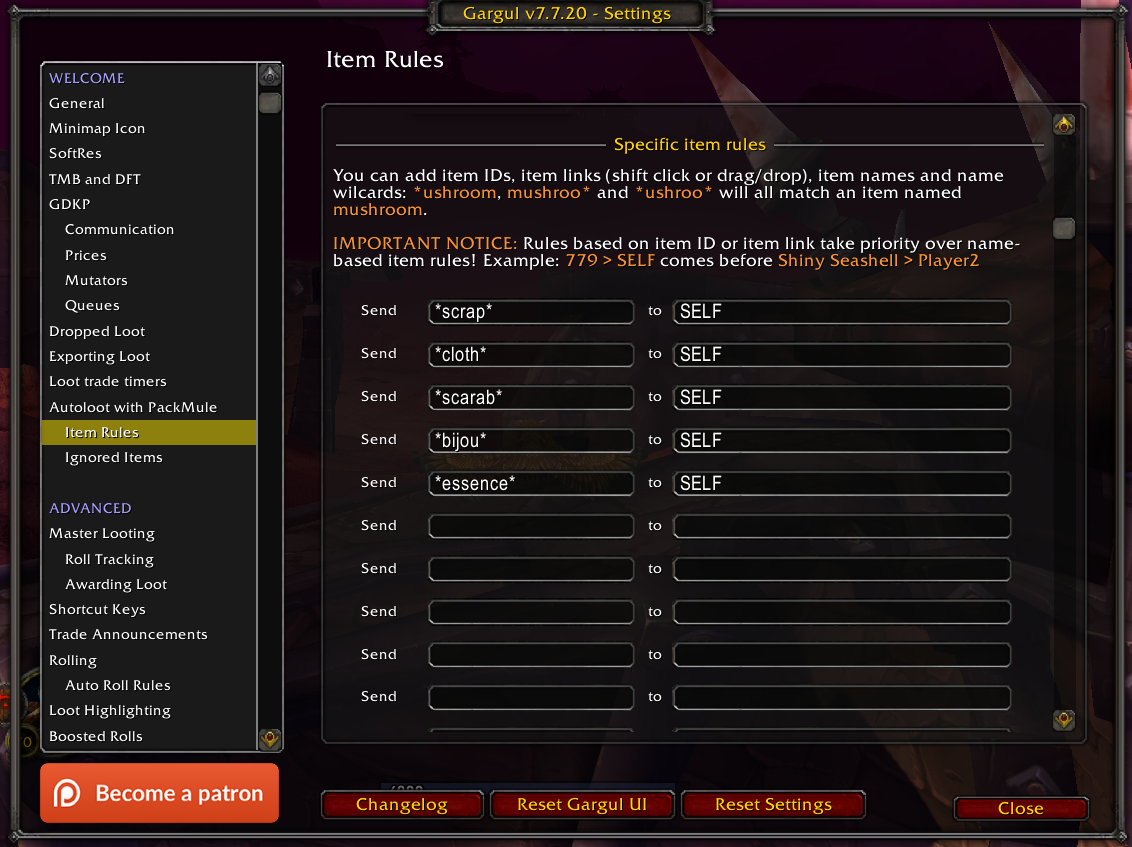
/gl sd <playerName>)/gl opt)
DESELF. This will auto-loot boss & trash loot to your bags.